Improve the image upload error message

It might be helpful to include the image dimension limit or a link to the guidelines:
in the error message, when an uploaded image is to wide or to tall.
Currently when one tries to submit an image on the "New post" page. If it's to wide or to tall, then the image appears in this text area for a split second, then it disappears and the following error message is shown:
You can only upload images (jpeg, gif or png). Image uploads are limited to 2 MB.
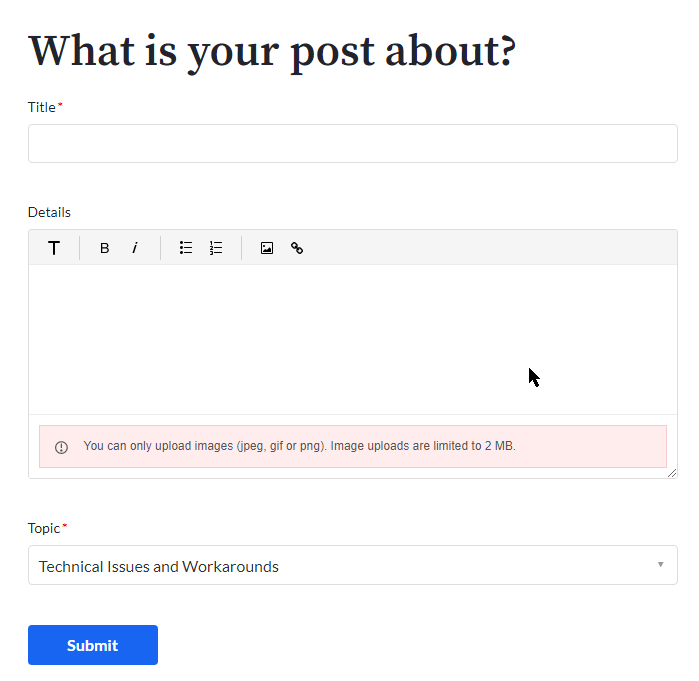
The image (screenshot) I tried to upload is only: 162 KB
But it's dimensions are: 1125x2436
When I found the guidelines, I saw that it suggests:
"Please try to limit your image size to <600 px width and height."
And when I resized it to 277x600, then it was possible to upload the image without any errors.
Notes:
It might also be preferable to add a close button to the error message (maybe an X on the right side).
Because when I tried to select the error message text, then as soon as the left mouse was released, then the error message disappeared.
A close button might also be needed if a link to the guidelines were added to the error message, so that the message doesn't disappear if someone accidentally clicks outside the link text.

Vui lòng đăng nhập để lại bình luận.