How can we help?

Didn't find what you were looking for?
New post1 comment
-
Hi cnmclue8,
You can do this by having one class but depending on their grades you can select each kid individually and assign the proper work for those kids and the proper work for the other kids. But another way you can do so is by making multiply classes on your teacher account. Here are the steps to do so.
Step 1: Click on your name at the top-right corner and click "teacher dashboard".
Step 2: It now should show you "Classes, Students, and Resources". Click on Classes.
Step 3: Now at the right side of the screen it should provide a link that says "Add new class".
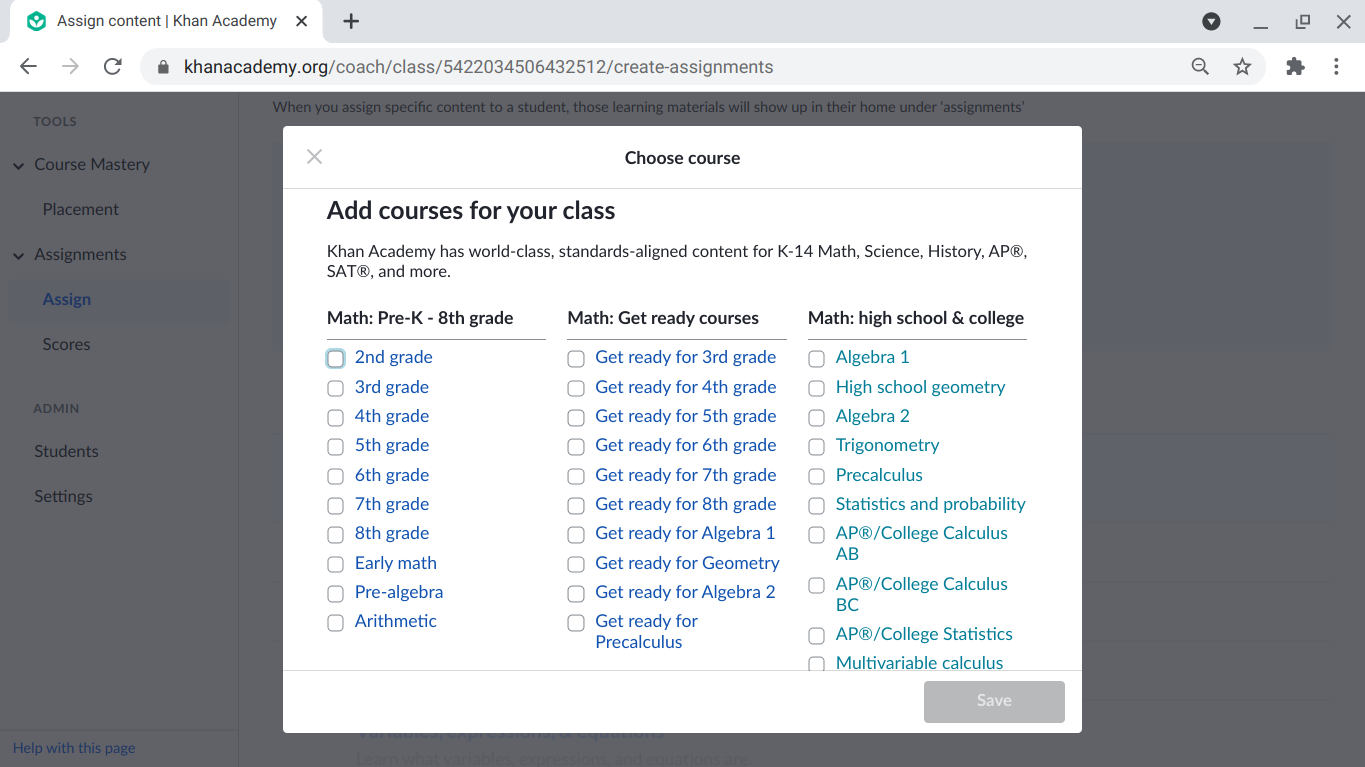
Step 4: Then click on that link and it should ask you what you want the class name to be and after that, this picture should pop up where you can now choose which subject to select for that particular class.
Hope this helps, and if you have any other additional questions, feel free to ask.

Please sign in to leave a comment.